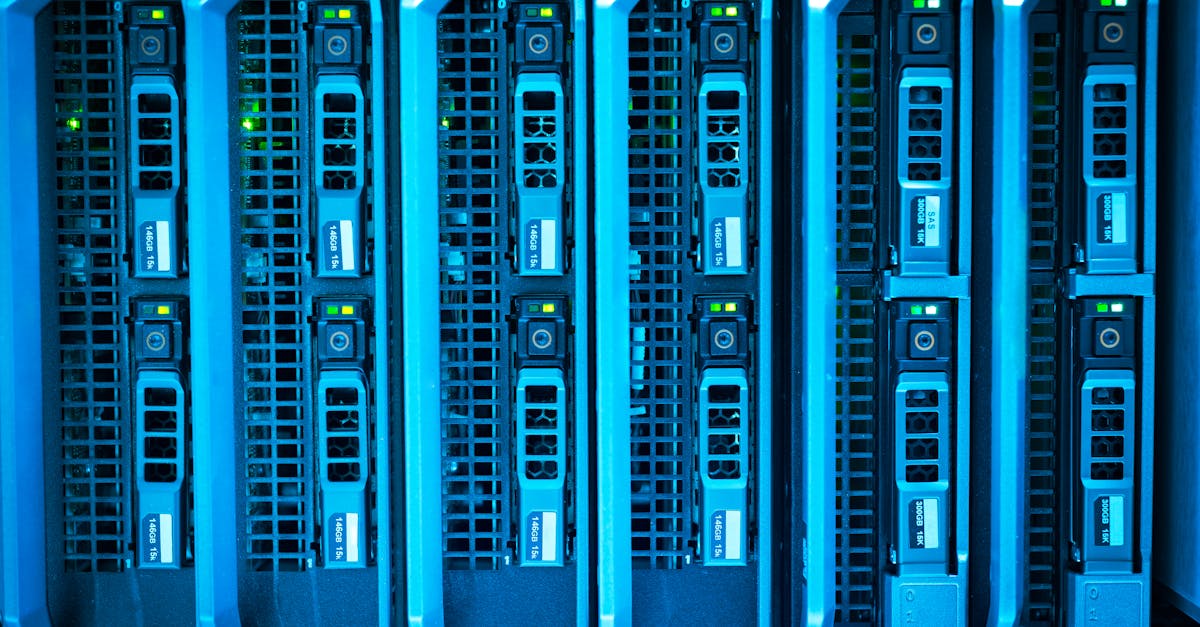
For enterprise IT teams looking to optimize long-term costs, running AI workloads on-premises can be significantly less expensive than using the cloud—if the right operating conditions are met. Many organizations initially choose cloud AI for its speed and flexibility, but as their usage grows, on-premises infrastructure can quickly pull ahead in cost-effectiveness. The shift typically happens when the workload is predictable, high volume, and sustained over time, making the most of owned hardware rather than paying recurring per-use fees in the cloud. Ixvara has deep experience guiding teams through these trade-offs and helping IT leaders identify the workflows where on-premises solutions deliver lasting value.
When On-Premises AI Outperforms Cloud on Cost
On-premises AI becomes cheaper than cloud AI in enterprise settings when workloads run at high, steady utilization rates—typically above 60 percent for GPU resources—over a period of several years. At this break-even point, enterprises stop paying for each individual API call or workload execution and instead spread the fixed infrastructure investment across millions of tasks. The more consistent and repeatable the demand, the faster on-premises savings will accumulate compared to escalating cloud bills.

Many IT organizations reach this break-even point within 12 to 24 months of launching production AI services. In use cases such as ticket triage, incident response, security analysis, and documentation enrichment—where workflows are repetitive and predictable—moving to owned GPU servers instead of relying on pay-per-token or pay-per-request cloud models drives down cost per inference and keeps budgets under control.
Definition: On-Premises AI vs Cloud AI
- On-premises AI means hosting AI models, tools, and accelerators (like GPUs) in a company’s own data center or through a dedicated colocation provider. The business owns and operates these systems directly.
- Cloud AI refers to using third-party cloud providers (for example, AWS, Azure, Google Cloud) to access AI models and compute resources on a pay-as-you-go or subscription basis.
Why Cloud Starts Cheaper, Then Gets Costly
Cloud AI appeals to IT teams early on for its lack of setup hassle and its scalable resources you can switch on and off as needed. For small, one-off, or experimental workloads, it avoids capital expenditure and lets businesses test ideas with minimal commitment. However, cloud costs scale linearly—every job, every token, every request increases the bill. As enterprise AI usage grows into daily or hourly workflows, businesses may see monthly cloud fees spike, often exceeding what similar or better-performing on-premises infrastructure would cost in ownership.
- Cloud charges accumulate through per-unit inference rates, data storage, logging, and network egress fees.
- When usage is low, cloud remains attractive. As workload grows and stabilizes, per-use costs quickly snowball.
Key Conditions Where On-Prem Wins
- High GPU utilization: Consistently using 60% or more of available resources daily creates break-even within 12 to 24 months.
- Predictable, repeatable workflows: Service desk automation, large-scale monitoring, policy validation, identity checks.
- Large request or token volume: Enterprises processing over 60 million tokens per month, or running millions of jobs, rapidly cover the hardware investment cost.
- Strict data residency or privacy requirements: Regulated industries where data cannot leave company-controlled environments often find on-premises more compliant and controllable, with lower legal and audit costs over time.
- Existing operations capacity: Organizations with their own data centers, colocation space, or skilled infrastructure staff will often unlock incremental savings quickly by absorbing AI workloads into existing facilities.
Example: Real-World Break-Even Scenarios
- Running an 8-GPU server for about $16,000-$22,000 per month on-premises (including hardware amortization and power) delivers the same inference workload that could cost over $150,000 monthly with equivalent steady-use cloud GPU rentals. That's if the GPUs are utilized above 40 percent.
- Studies observed on-premises infrastructure can deliver a 2-3x saving for predictable training and inference workloads once the cloud bill approaches 60-70 percent of owned equipment TCO.
For more on how to apply these thresholds, see the detailed analysis provided by Lenovo Press and supporting industry sources.
Hidden Costs in Cloud AI
Teams evaluating cloud AI rarely budget for the complete set of costs they will actually face in production. For enterprise IT, these operational extras quickly become substantial:
- Data egress fees: Extracting logs, results, and large documents from the cloud invites steep network charges.
- Integration overhead: Normalizing and staging production data for external APIs adds hidden tech overhead.
- Compliance and audit: Cloud solutions generally charge extra for advanced security, often requiring additional tooling and staff review for regulated data.
- Observability and monitoring: Logging, monitoring, and performance checks in cloud-based AI require independent spend, sometimes exceeding $1 million annually for large enterprises.
Framework: How to Decide Between On-Prem and Cloud
Before choosing where to deploy, enterprises should use a concrete step-by-step framework:
- Map out the workload profile: Is it training, inference, or a mix? How often do you run jobs—and are they bursty or steady?
- Measure actual utilization: How many GPU-hours are productive each day or month?
- Calculate cloud costs: Factor in on-demand rates, reserved pricing, spot pricing, as well as storage, and egress.
- Estimate on-premises TCO: Include hardware, power, staff, maintenance, and amortization over at least a 3-year timeline.
- Factor in hidden, operational, and compliance cost: Add costs for staff, audit, monitoring, and legal oversight in each scenario.
- Run break-even analysis: At what utilization does on-premises become cost-neutral (or better) than cloud? Adjust for your unique usage pattern.
This disciplined cost analysis is central to Ixvara’s process when guiding IT teams through digital transformation or AI infrastructure planning. For examples of related frameworks in the MSP space, see our blog on Hybrid AI Operations Architecture for Keeping Sensitive Data Under Your Control.
Practical Insights: When On-Premises Works Best
- On-premises saves money when you need continuous, reliable automation—common in large helpdesks, IT service management, or security event correlation.
- Enterprises leveraging Ixvara can automatically identify which workflows generate the most cloud cost and are best suited to local optimization.
When Cloud Still Makes Sense
- Low or sporadic usage: If your needs spike unpredictably (for example, crisis management or rare experiments), cloud’s elasticity protects you from owning idle hardware.
- Rapid innovation or changing models: Teams experimenting with new architectures benefit from cloud flexibility before locking in capital expense.
- Global scale or low-latency distribution: If you plan to deploy across continents, cloud’s reach may still outpace on-prem infrastructure.
Critical Non-Compute Factors: Governance and Security
According to NIST and leading industry guidance, the real cost of enterprise AI goes beyond just running jobs cheaply. Regulatory compliance, privacy, audit, observability, and operational resilience must be part of your cost model.
- Data residency: For financial services, healthcare, and government, on-premises helps solve jurisdiction and privacy rules inexpensively—cloud services sometimes complicate compliance and trigger legal review fees.
- Custom security: On-premises allows for fine-grained access control and air-gapped operation impossible in standard cloud platforms.
- Operational resilience: Enterprises with skilled staff can tailor backup, recovery, and SLA discipline more closely with owned hardware.
More details on governance requirements are available in official NIST publications such as the NIST AI Risk Management Framework.
Best Practices for IT Teams Assessing AI Cost and Fit
- Start with an inventory of all workloads. Identify which tasks are repeatable, high volume, and mission-critical.
- Classify data sensitivity and residency requirements. Use strict categorization to avoid legal pitfalls.
- Budget total cost of ownership, not just compute spend. Build scenarios with low, medium, and high usage forecasts, including indirect costs.
- Simulate break-even and risk. Test the impact of under-utilization, power spikes, and workflow changes on both cloud and owned infrastructure.
- Consider hybrid models. Many find the best result is a mix: burst to the cloud for demand spikes, reserve on-prem for core workload.
- Leverage unified platforms. A tool such as Ixvara can surface precisely which operational workflows justify the investment and automate IT service delivery across cloud and on-prem.
Checklist for Your Next IT Finance Review
- Calculate monthly request and token volume
- Chart average and peak daily usage
- Estimate cloud per-use spend including egress and logging
- Itemize compliance, governance, and operational staff costs
- Forecast hardware, support, and facility costs for on-premise deployment
- Review expected utilization over one, two, and three years
- Evaluate opportunity cost of capital tied up in hardware
Once you have real numbers, you will see where the cost flips from cloud convenience to on-premises value. Ixvara recommends this approach for clients planning significant investments in IT automation or digital transformation.
FAQ: Enterprise AI Cost Decision-Making
When does it make sense to start with cloud AI?
Cloud is best for experimentation, infrequent workloads, or small teams without operational capacity for hardware management. If your utilization is below 40% or use-case changes frequently, cloud helps you avoid sunk costs.
What’s the most common pitfall when shifting to on-premises?
Overestimating how much of your infrastructure will be in continuous, productive use. Idle hardware draws power and depreciates without generating value. Monitor real utilization before moving workloads.
Is observability a significant hidden cost?
Yes. For large enterprises, observability costs (logging, compliance, SLA reporting) can exceed $1 million per year—and cloud services typically charge even more for telemetry and retention. Budget for this regardless of deployment model.
Does on-premises always improve data security?
No. While on-premise gives you more control and options for air-gapping, security depends on your internal discipline, processes, and tooling. Both cloud and owned infra require strong governance and continuous updates.
How can a unified platform help?
Ixvara’s unified operational intelligence highlights which IT workflows are cost-drivers and candidates for automation—across both cloud and on-premises. This way, you control costs while keeping agility.
Conclusion
For many enterprise IT teams, the journey to cost-effective AI begins with cloud adoption, then transitions towards on-premises solutions as workloads increase in volume and stability. The total cost advantage of on-premises emerges especially when repeatable, high-utilization scenarios are present and when compliance, security, and governance are high priorities. Organizations leveraging unified platforms like Ixvara can clearly see when to make this transition and avoid nasty surprises on the balance sheet.
Ready for sharper clarity on your AI and digital transformation roadmap? See how Ixvara can help unify your IT operations and pinpoint the smartest path to sustainable automation. Visit our homepage to learn more or book a demo.